Friday, March 08, 2019

#Literarymm19 matchups for Friday March 8th!

Below find the Friday, March 8th, matchup. You can vote using this link: https://goo.gl/dKdZfb.
Follow us  @schs_library Instagram, @schs_library Twitter and  @schs.raptorlibrary on Facebook and on the Library Website. Use the hashtag #literarymm19. Thanks for playing!
Mr G

HD4E7kg23cqmU2CKFOglLxzkRDvYNKasd4DkSj67s4uebk_GmGohyFZYMFAYXsjWGcl4VJu1cEfJPM6F6cG0Ih6xw5aIz4E12l2c5oyYha7n8KFyHrkZKDGYEWDsX01q4DBxTwMV

wJmOIlFtT0rJQKPSGT-l9lRSW8-wQ_AN_6__npu1o3FKA19MuJTepqDUHcdgLx96kKyaTVDlIfBuHPBHeVD9oAivdXztj6K33FcX4vGBaJDlbzlswMScNqg27bdWrv7X8U5qZxln

Thursday, February 07, 2019

Spiral Poetry for #VoicesofSCHS poems April poetry month

How to do Spiral poetry - a reminder from Phil

I encouraged our aides to record poems on SoundTrap.
- I gave them a sample script to read before their poems,
- I found out it only records X amount, so bought a $48 annual subscription
- I liked soundtrap because it works in a browser and if you don't have to have
garageband...we could use a chromebook if needed. I set the reverb up a bit
and put them in a recording studio (snowball microphone and some sound baffles
given to us from the performing arts folks)


I uploaded the poem up to our sound cloud account and posted it on our blog
I tweeted, instagramed and facebooked the poem


I brought the 3D printer out in the main library and for everyone that recorded
a poem, I let them choose to print the title or one line of a poem on a bracelet
using the spiral poem design on Thingiverse.  Then, we used customizer to add
the line to the existing design.


When they came back for the bracelet I took their picture with me handing it to them
(big cheesy grin)


One of our English teachers loved the idea, so he recorded one and emailed
everyone in the department to do the same. (kind of a challenge) Here is the
flyer I used to promote it


He also suggested we give them a trinket of appreciation representing the
Greek god of poetry. So, towards the end, they also received a dolphin


How to print poetry bracelet from 2018 work around


We had some problems editing the spiral poem design on Thingiverse in April 2018.


It wanted to save code to the website, but was wrong.


I had the design in Open Scan


Customized it, rendered it with Function-F6  and exported it to desktop as STL


Opened the STL in Cura for the Lulzbot6

  • Later we didn’t need to do this because customizer worked!
  • (Looks like the customizer works in 2019!)

Wednesday, December 05, 2018

Flipgrid QR code book talks!

During Teen Read Week (October 2018) we encouraged students (and of course ALL our aides) to choose a book and do a quick book talk using FlipGrid.

We then had them use or create a BitMoji avatar to post with a QR code next to the book on display here in the library using this  Book Talk template

The flipgrids we created can be viewed here:  flipgrid.com/c06ce1c5
Enter the password- schsbooks18

I wrote of the steps for the kids here in this doc.

Notes: I used the Chrome extension Goo.gl URL Shortener (heard it might be going away)
To get the absolute URL for individual Filpgrid videos, I had to log in as an Educator
Sign in>View topics>View Videos
Choose the video you want to create a code for and click SHARE on the right
Like this really cool one by Abby: https://flipgrid.com/s/c2e0ad83d473
Then open in new window to create QR code. Or, past in your favorite QR code creator. 

Monday, December 03, 2018

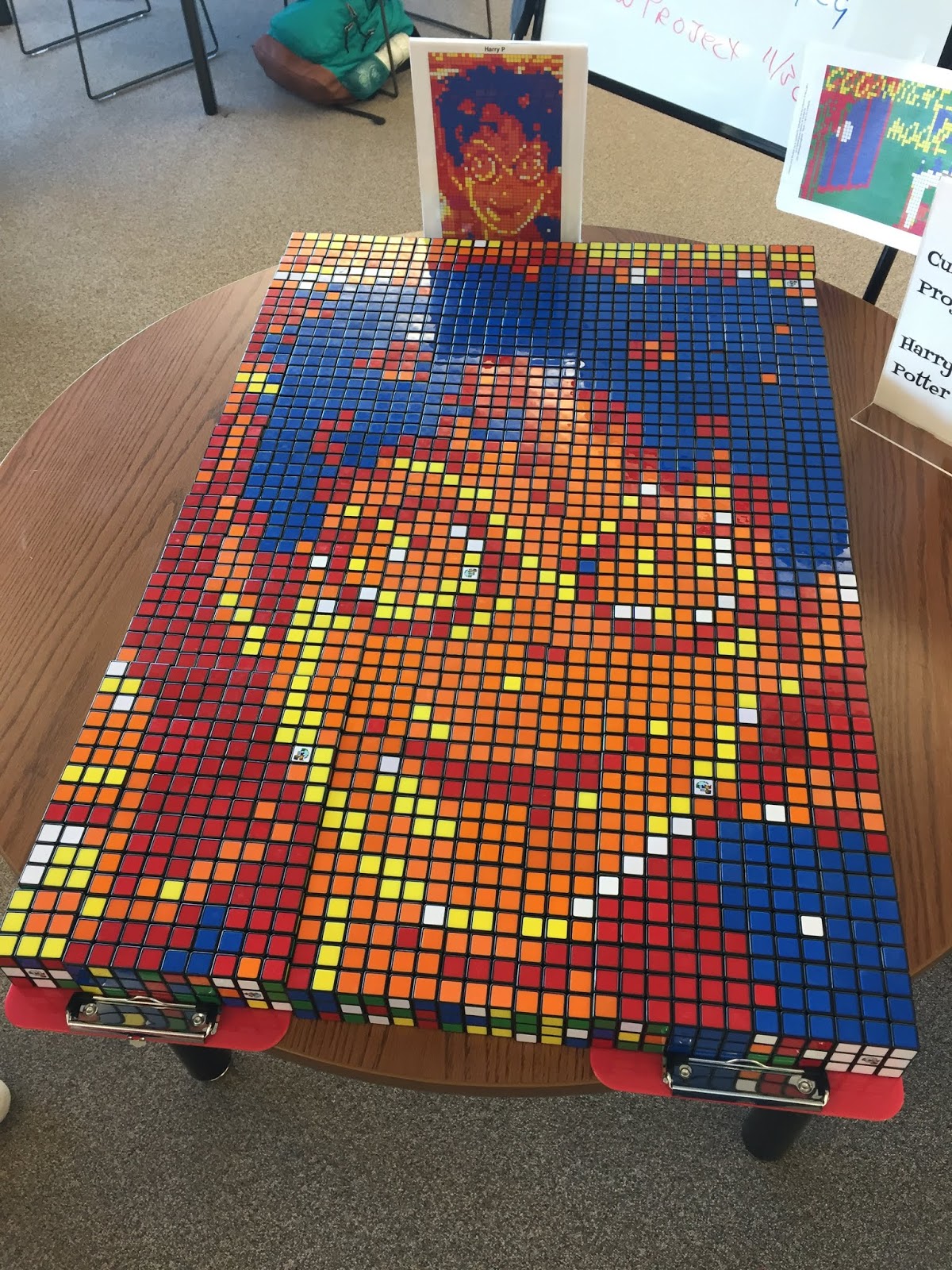
Rubiks cube Mosaic project Dec 2018

My clerk Lynn and I heard about the Rubiks.com cube lending program. I had read about them being used on a library blog that used them during teen tech week. I didn't want to wait until spring, so we put in for 100 before winter break 2018 thinking we didn't want to be overwhelmed with too many.

Lynn and I looked at the patterns, it looked like we had better do more so that we would have better resolution on our images. I upped our order to 225.

We contacted the Rubiks.com cube lending program.
Some basic FAQ's
We can borrow 3x3 cubes for up to 6 weeks, using the Rubiks Cube Lending Program.
You put in a request for a lending time.
You have to agree to several things (like pay for shipping, replace broken ones, submit Principal's name and I think 3 emails)

We received an email that we could get them and confirming our dates- awesome!  We got lots of emails confirming our shipping dates and they were delivered a week before they were supposed to come.

We used the Create your own mosaic website and the mosaic.twisttheweb.com which allows you to upload images and it will create the pixelated templates...which are awesome. Not every image works very well, the more pixels the seemed like the better.  You can also play with the dithering and get something that works ok. 

We started with a cropped image of Harry Potter from the cover of the Goblet of Fire...that uploaded worked ok. Lynn was searching google for book covers and saw Good Night Moon (which was really popular). 

We took free block kiddos, my makerspace crew, lunchtime folks, study hall folks. I did personally go to a few classes to seed the pot, but it worked very well regardless...plenty of folks. 

We kept the boxes of cubes behind the counter and had the templates ready for students that requested them. If someone wanted to do some we gave them a 9x9 template with the picture, a basket of 9 bricks and if needed a basic booklet from Rubriks.com

Promo- teased on announcements, tv announcements, and set up a table right in front of the library entrance. 

The first puzzle we started and then finished the next day. Good Night moon started with one study hall kid 2nd block and finished that same day after school. We email staff and display for a full day after completion and tear down to rebuild the next day. 

Feedback:
Some of the kids say how wonderful it is to have this resource for a stress reliever for finals week. 
We took it and displayed it for our open house night.

So far so good...we are on our 3rd puzzle and are trying Wonder. We need to do a better job of pictures with kids who are building and completed puzzles for our blog, website, Instagram and Twitter accounts. We did put them on TV announcements though. 


QR Code directly to Email - for Art Projects

My art teacher Torkelson and others are having their students post their end of semester art projects with a posted format and cool description of their work to accompany the artwork.

Last spring when students did this, one set created a QR code that opened email and sent a response to that student.

I thought that was cool, but didn't know how they did that. So...I poked around and found https://www.qrstuff.com/ that might have been what they used. You can create a variety of QR codes that lead folks directly to something...like email.

It worked pretty well. Torkelson said this might be helpful for the advanced kids and perhaps especially for those entering the district art show. It might be a way to request feedback in a positive manner but could also open up an entire can of worms for negative bad spirited stuff too. hmm.


Fold a book Student Aides Project

Book club and student aides have been folding books to make designs (December 2018).


We asked for thick discards from other schools when they were offered (Like the Twilight series)

Students used book folding templates like this one from ScrappyStickyInkyMess which were really good to line up the pages. They also found good designs on Pinterest and others. 

I found some Instructables that helped.

The best site that student Aide Abby found was entitled Creating Book Art  from VektorRacheln. It is pretty cool because you can upload your own artwork to their online free software  and kinda get a good design from it. 

They are doing it, but the way I understand it...it is most helpful if you determine the number of pages needed and then mark the pages from the template. Make sure to mark off the strip/line you have folded because it will take some time and there can be confusion. 

Good luck and be patient!

PS- if it helps, here is my list of OneTab hyperlinks

Wednesday, February 22, 2017

Marians Feb 2017 meeting notes

Becky Russell Marians Feb 21, 2017
Brief notes
By me, Phil g

Special guest:
Becky Russell
School Library/Digital Literacy Instructional Specialist


Main Focus of our chat was about the Highly Effective recognition Program].
The recognition program foundation is based on the foundation of the 2016 Highly Effective School Library Program (HESLP) Evaluation Rubric . This library program guide rubric has some detailed components in it for exemplary libraries. Some schools/district use this as a basis for their evaluation.


The recognition program focuses on 5 main areas aligned with the CDE teacher library evaluation units. Much of the measurements are student centric.  It is set up with 1 component from each of the 5 areas.  (Phil’s copy from the website of these certs)
  • Planning
  • Instructional Specialist
  • Leadership
  • Library Environment
  • Library Management


The notion is to focus on one aspect, gather and provide exemplary evidence (usually 2 pieces for each unit) and submit that to your administrator. Then as you meet with your administrator and go over the rubric you should determine if you are, they fill out the form (found on the CDE site).
CDE staff reviews the information, and if all is in order you are awarded your certification for this area.  


As I understood it all library staff: Instructional school librarians,media clerks, and media techs are all eligible to earn certification in any or all of 5 areas. There is no time limit on submission, or requirement to complete all 5.


There is also no fee for submission- it is all FREE FREE FREE!


If one has been awarded all 5 badges, you have earned the right to apply for the Distinguished School Library Program of the Year.
It requires 2 letters of support, a portfolio, and some other items. Looks like you have some time to apply- next applications need to do so by Feb 1st, 2017.


PLEASE PLEASE PLEASE!
I would really encourage all of you to rush out there and get some of these certificates! So many of you are already doing this good work, it would be great for you to get recognized.


If you need any assistance, I would be happy to chat. Or, you can contact Becky Russell at the above address!

We did have a bit of fun at this meeting. Please plan on joining us for the March Meeting. Phil will send out a poll for dates that might work.

Tuesday, February 07, 2017

#sourcesofstrength

#sourcesofstrength training for staff and students #SVVSDlearnspic.twitter.com/whPAedHjv2

Peer led social networks that promote positive change, suicide prevention, bullying and substance abuse.
https://sourcesofstrength.org/
Starting at Silver Creek.


Thursday, June 30, 2016

ISTE 2016

It was the people at #ISTE2016 who were awesome:

Was cool to meet Theresa Lau (from #AmazonEducation) as well as blogger/English teacher Jeff Krapels at CoffeeEdu


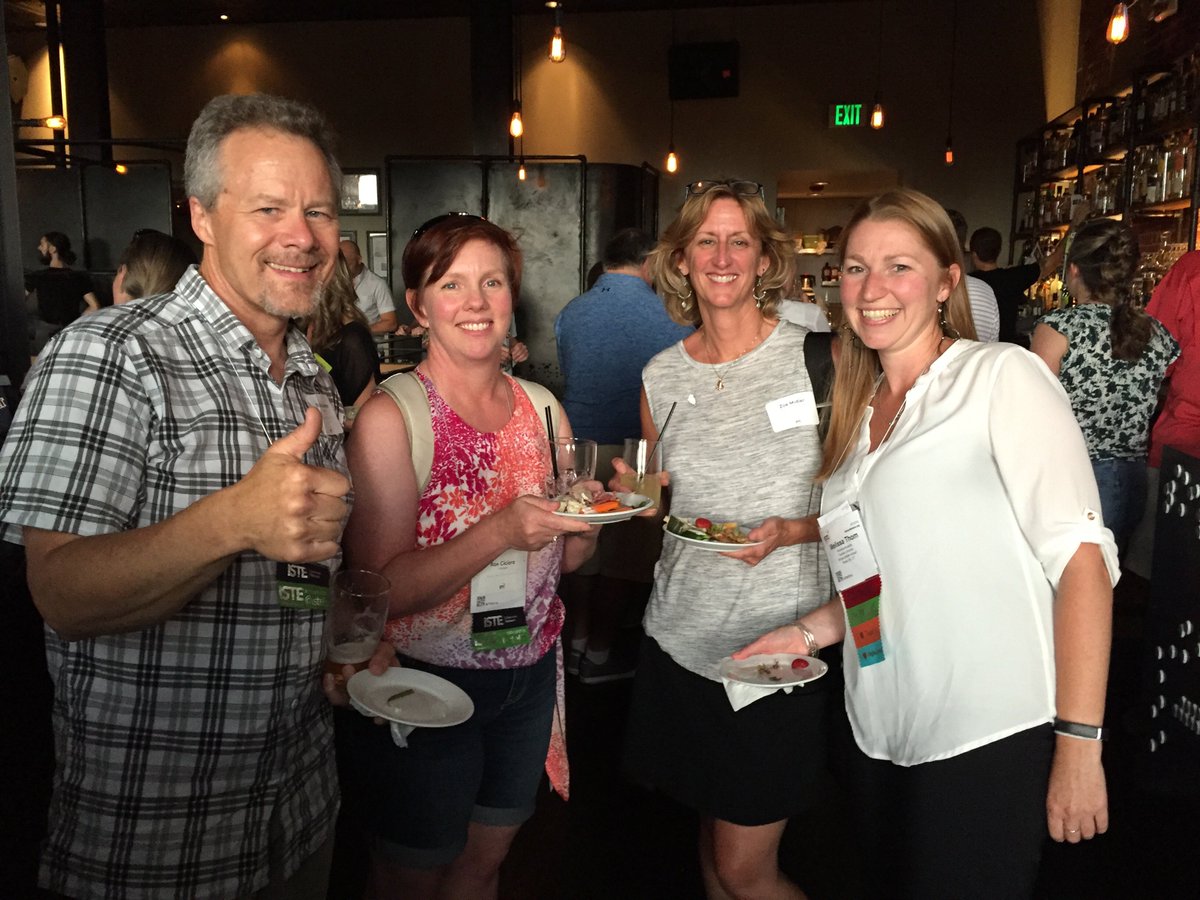
At the #ISTElib reception love meeting with   & wonderful time!

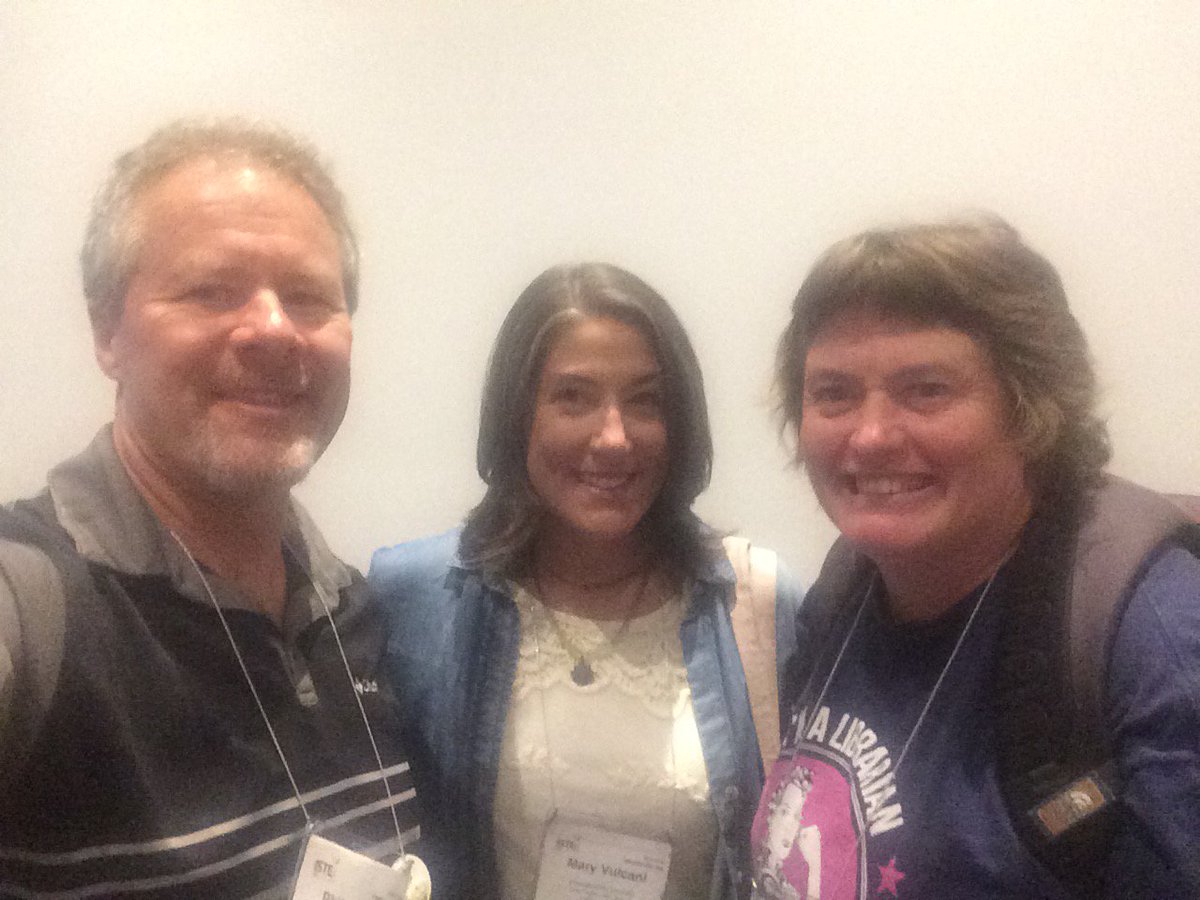
And at the #ISTElib breakfast with @MaryVulcani  and @largeswope 

And more breakfast buddies like @lmoseleyramsey,

Finally- wonderful connections at the #overdrive reception with

Saturday, June 25, 2016

EdCamp Longmont

EdCamp Longmont WebsiteCourseware and even Eventbrite are all live as of today!

We hope you would like to join us September 17th and are ready to take your information. Looking forward to a great day of learning and collaborating in this wonderful Unconference format.

The next step is to found these wonderful folks that would like to donate food or swag for the great, hard working educators for this event. If you would like to donate or support this event, please contact me via email or Twitter @pgoerner

Thank you all- looking forward to this!


Sunday, April 17, 2016

Raspberry Pi

Our Makerspace kids have been messing around with our new Raspberry Pi 3.
We have a student that brought a Raspberry Pi and we have one, so there is lots to explore. 
These are amazing little machines!

We needed a Mini-SD card, power supply cord, ethernet cord and HDMI cord. 

One of the first things they did is download the Raspbian operating system 
They also are exploring operating systems:
- Midori is a lightweight browser that works nice
- Light Firefox is supposed to work as well
PI installs the OS on the Raspberry Pi
The kids love messing around, installing and re-installing operating system and exploring things.  
It needed a case, so they printed one on the 3D printer. Nice
3D printed case


Great Gatsby companion book project and booktalks

One of my English teachers gave me a challenge for some booktalks.

After her class read The Great Gatsby, her goal was to have them read a independent novel that would also show the themes of the great Gatsby before the end of the year. This, I discovered was a tough thing.  So, if any of you have suggestions...I would REALLY like to hear them!

My clerk and even our Parent volunteer began to hunt. we found classic read alikes (which wasn't really what we needed.) We searched by themes in our library catalog Destiny. I had used SHMOOP.com to remind myself of the themes.  We were using those as a guide to try to find books with those themes.

I thought- surely some great teacher or librarian has already done this and posted. We found a few sites with suggestions, but no one site with 30 independent novels. :(

With thanks from my english teacher wife we came up with some. She suggested we use the them of the American Dream, or the American Dream gone bad. This helped tremendously, but often I still didn't see the tie in.

I wouldn't say we were tremendously successful in finding perfect books (but to be honest the kids didn't really care to much...they just wanted the romance, or the action or the money/power).  Here is the list of books we came up with ...with teasers posted (by the publishers) on GOODREADS. Take it with a grain of salt...sure could use some suggestions and ideas. We were a bit limited by our  collection...so I'm looking to beef that up a bit.

As far as presentation, I had a idea. The book club and I just attended the Colorado Teen Lit Conference where the kids and I went to a session Judge the Book By the Cover with  Catherine Boddie (@CatherineBoddie) and Bridget Kiely (@ALDBridget) from Arapahoe Library District. They did this cool thing modeled after ideas they got from PlayJudgey.com where you rate the book by it's cover. They set images of books up side by side in a preso.

So, I attempted (lamely) the same thing. We put covers of books (see my preso) on the screen and the kids judged them. In some cases I had them choose the best cover and I told about that one first. In other cases I booktalked one of the books and they had to choose which one was the right one.

It was just a different way to do a booktalk. I liked the potential of this, but the combination of me rushing to get this done in time and an then presenting to a 7:30am quiet class of underclassment gave it a lackluster finish.

Oh- I almost forgot. I found some really cool resources on the Gatsby List.ly Curated by Stephen Cunningham and was blown away by the #6 The Roaring 20's Sound Museum with amazing sound clips, newsreels and stories from NYC in the 1920's. 100's of hyperlinks you activate when you hover over them. We've GOTTA use these next time we teach Gatsby! 


Friday, April 01, 2016

Other stuff happened 2015

NAO robot challenge in June
  • met weekly at Innovations Center 
    • with Alderbaren
    • practicing on own with other students and Innovations Center staff
  • competition in Stewart Auditorium 
    • 4 games, I think we did 3
    • trophies and mini-Nao's for competitors
Edcamp Longmont
  • planning committee meets in spring, and late summer
  • food, PD credit, prizes etc all worked out ahead of time
  • 60-120 folks preregistered, over 100 folks came
What has been going on?
Well, this year has been our Makerspace. Here are some highlights!

  • purchased Sphero, Cubelets, Snap Circuits, and more from Donors Choose
  • Wrote grants and purchased a MakerBot 2 3D printer
  • had an opening party after school
  • started meeting about every week after school

Makerspace fall

  • met every Tuesday lunch
  • started meeting every other Friday
  • Dixon Dick joined us every Tuesday
  • Implemented the Box Project idea for
    • 3D printer
    • green screen
    • makey makey
    • sphero
    • BB8 sphero
    • circuits
    • moss/cubelet robots
  • classrooms use green screen and audio booth
  • One Million Lights
    • visit Preston MS for ideas
    • soldering station
    • refine the lends and base
    • learn about printing your own circuit boards


Lego Drive for Longs Peak


Wednesday, April 03, 2013

Collaboration: Digital Photo Style


A few weeks ago, my digital photo teacher came in very excited and concerned. 

In the past his students had used Voicethread as a way of posting student work and then doing some peer reviews in an a semi-private space. Since 
Voicethread has recently been upgraded there is no way you post to it privately without paying the fee.

Since it wouldn't meet his needs for their Monochromatic Color Review NEXT HOUR
what the heck was he going to use instead?


So, I did the thing I learned during all those literacy coaching training sessions- I listened. He explained the assignment as my mind researched for a tool or technique we might try to get him out of this jam. *Note to self: coaching strategies might be another good topic for blog post*

We tried Wallwisher (now called Padlet) and discovered student’s could put their digital photo assignments there, link to their pages using google, and then post comments right on the page. The teacher said it turned out wonderful and that the photos had better graphic quality than before. The students were focused and had constructive peer comments and good classroom discussions. 


A week later I was listening to The Tech Chicks podcast and they mentioned Mural.ly. I told my photo teacher about this and he used it for his next assignment STREET PHOTOS and was overjoyed.

It works like a giant bulletin board and created spaces for individuals to post their photos, they could post their photos and other students could comment. The whole board could be private (with personalized access) and the quality of the photos was strong. In fact, they were actually thumbnails and students could double click to see larger versions.
Turns out Mural.ly folks are very responsive too- my teacher had some good suggestions that they responded to right away and initiated some changes based on his feedback. That was cool. 

I had always used applications like Wallwisher, Lino and Mural.ly for brainstorming or debriefing. I'd learned about them in workshops or online presentations....I'd never  thought to use them in this format before.

I'm so glad I have a "bag 'o tricks" that I can pull ideas out of. But I'm even happier to work with such genius teachers that can use tools in creative and innovative ways that really help students.

My peers make sure me look so smart!

Felix the Cat - c/o Joe Oriolo

ACT Grab 'N Gab plans to promote Libraryland!

*note- I had this stored in DRAFT mode since last year...but updated this reminder so that I could be ready for the ACT date! Read on fearless readers!

Last year, upon completion of TCAP testing I invited all the staff up to the library for a kind an open house we called Grab 'n Gab!

I sure missed it this year, but we have one more change. April 24th after ACT testing we'll have another long lunch where I can showcase of materials that we offer teachers that they don't normally see. We'll have district book sets like HS poetry, Forensics, audio books and DVD's playing. We'll have Cyberbully lessons, Plagiarism and research presentation outlines available. There will be SLJ and Booklist set out for teachers to review & select books for purchase.

I'll need to order snacks: mini-cheesecakes, cream filled strawberries, chocolate truffles and drinks. I'll have brochures for the Colorado Standards: 21st Century Learning Skills. I've got an old book scavenger hunt that a student teacher made for every subject area that I'll upgrade (yes even including PE and math). Lastly- I'll find some cheesy prizes.

Mostly, we'll have opportunities to share some good with a wide variety of folks and departments. I'm hoping that many of our dispays and resources will be imeadiately booked or better yet go straight into teachers classrooms. Maybe I'll pick up some new work...let the planning ensue!

Many thanks to my friend Kim for letting me copy her idea from years ago.
Looking forward to a fun day! ~guybrarian

Friday, September 16, 2011

The winds of fall challenge my library role

For the 3rd time this week I heard that our budgets will probably be cut again by up to 25% next year. I also have heard principals are questioning the value of keeping librarians in the face of all these cuts. They ask the why keep a librarian if they can get a full FTE classroom teacher that make more of an impact on kids?

My neighboring district to the south who has district employed/building specific librarians have already cut 1/2 their HS & Middle School librarians and just this year cut 1/2 their elementary librarians. Other districts are headed the same way. What does a half time librarian look like? Well, due to equity discussions- one librarian often serves two schools (sometimes a few days in one school then another, sometimes full weeks).

I'm really curious how effective I would be if I was only 1/2 time in a school? If a teacher is collaborating with me and gets behind in curriculum, maybe I can't float back and forth. How can I build relationships and trust so that I can collaborate if I'm only part time?

Perhaps a bigger issue is what is the role that librarians or teaching/collaborates will be playing in their buildings in the future?

Will we be Learning Specialists who focus more on professional development and 21st century learning standards as Allison Zmuda, Violet H. Harada suggest. Will we be developing a Learning Commons or instructional Facilitators as Koechlin Luhtala and Loertscher suggest? (February 2011 page 20)

I think if we are really going to be an active part of the future learning for our schools, we need to play an active role in the change that is coming. There may be some parts of our jobs that it is time for us to let go- perhaps some carry over from the "old librarian model". I'm not sure what those are, but I wonder what things we aren't willing to let go that might hold us back from serving our staff and students? Are you willing to give up reading picture books? Book talks? Being the sole coordinator of your collection development? What things keep us from being able to collaborate with teachers, training staff, work to support student achievement and 21st century learning skills?

Hmmm. Lots of thinking for a Friday am. I would be very curious to hear your thoughts! What will the new role look like? What can we do to best help kids? Thanks for your help!